
)
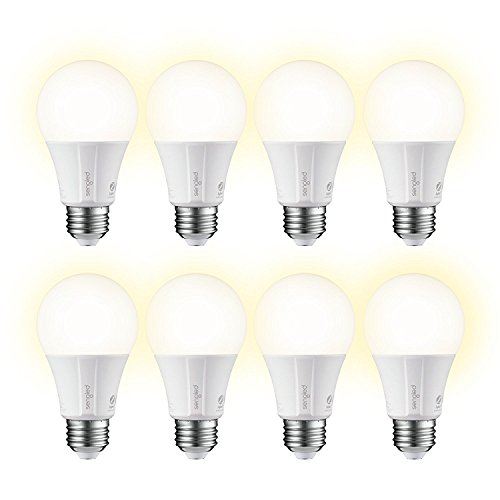
Sengled E11-G13 E11-G13W8 Smart Light Bulbs, 8 Pack, Soft White
Element Classic A19 smart bulbs are the simple way to get started with smart lighting. Connect up to 64 bulbs per Element hub and enjoy smart lighting capabilities in every room using existing fixtures and lamps. Control bulbs on/off, brightness and schedule using the Sengled Element Home app. Going on vacation? Schedule the lights to
Categories: Light Bulbs
$71.49Amazon.com Price
(as of March 26, 2018 3:21 pm GMT+0000 - Details)
Added on: March 26, 2018 - More: Comments & Reviews
Product Description
Element Classic A19 smart bulbs are the simple way to get started with smart lighting. Connect up to 64 bulbs per Element hub and enjoy smart lighting capabilities in every room using existing fixtures and lamps. Control bulbs on/off, brightness and schedule using the Sengled Element Home app. Going on vacation? Schedule the lights to turn on/off automatically to make it look like someone is home for added security. Need help waking up? Create a routine to slowly have lights brighten to mimic the natural sunrise. Kids leave the lights on? Check the status of each bulb in the app and turn off remotely to save on your electricity bill. Certified for use with Amazon Alexa, Google Assistant, SmartThings and Wink.
Product Features
- LIGHTING FOR SMART HOME – Turn the lights on/off, dim to the desired light level and set up schedules using the Sengled Element Home app (iOS and Android). Element hub is required.
- WORKS WITH SMART HOME PLATFORMS: Connect the bulbs directly to Amazon Echo Plus, SmartThings or Wink hubs and add lighting control to your smart home.
- VOICE CONTROL: Connect Element bulbs to Amazon Alexa or Google Assistant and control your lights via voice commands to turn on/off, adjust brightness and more. Element hub is required to connect both voice services. Only the Amazon Echo Plus device allows for direct connection.
- CONTROL AT HOME OR AWAY: Control your lights remotely or set the lights to turn on before you get home in the evening. And, if you forget to turn off the lights, just turn them off using the app.
- ENERGY EFFICIENT: Energy Star certified. And, because Element LED bulbs save 80% energy compared to incandescent lighting, monitor electricity use (kWh) and watch the savings add up in Performance section of the Element Home app.
Write a comment
Lysol Disinfectant Spray, Crisp Linen, 38oz (2X19oz)... [Read More]

Clorox Disinfecting Wipes Variety Pack – 5 Pack, 390 C... [Read More]

Sumind 30 Pack Slingshot Chicken Rubber Chicken Flick Chicke... [Read More]

OasisSpace Upright Walker – Tall Walker with 10″... [Read More]

Party master Purple Shadow Freddy Bear Exclusive Collectible... [Read More]

5 Pack: Big Boys Youth Clothing Knit Mesh Active Athletic Pe... [Read More]

The Children’s Place Big Boys’ Bootcut Jeans, Du... [Read More]

Levi’s Boys’ Big 514 Straight Fit Jeans, Covered... [Read More]

The Children’s Place Big Boys’ Pull-on Cargo Sho... [Read More]

Creativity for Kids Glow In The Dark Rock Painting Kit ̵... [Read More]

Great bulb! For the price, I admit I didn’t have high expectations. I was wrong! This is a great bulb! I didn’t bother with the Singled hub or app, just paired it directly to SmartThings. It paired quickly and was recognized with full functionality natively, no DH needed. The bulb is super responsive – switches off and on quickly with the SmartThings app as well as via Alexa. I automated the bulb with an open/close sensor and it is just as responsive to sensor action. The bulb is in my attic, literally as…
Great smart home addition!! So far bulb meets and exceeds expectations. Paired quick and easily with Samsung Smart things hub and with Echo! Plenty bright enough for most lamps and secondary lighting sources. For $10 a bulb I’ll be loading up on these!
… 1) Unscrew existing light bulb 2) Screw in Sengled smart bulb 3) Say “Alexa Easy-peasy with Echo Plus (which has built-in Zigbee hub)1) Unscrew existing light bulb2) Screw in Sengled smart bulb3) Say “Alexa, find devices”4) Alexa says it might take a minute5) Wait 30-60 seconds6) Alexa says it found the device and gives it a default name7) Open Alexa app on smartphone8) Rename device (such as “back porch light”)9) Say “Alexa, turn on back porch light”10) Light turns on11) Kids are…